ファイルの作成
Free Text Editor では、新規ファイルの作成を開始する方法が 3 つあります。
- Google Drive™ 内の 新規 ボタンを選択する
- アプリのホームページにある 新規ファイル カードをクリックする
- アプリのエディタページにある ファイル -> 新規 メニューを使用する
新規ファイルの配置設定
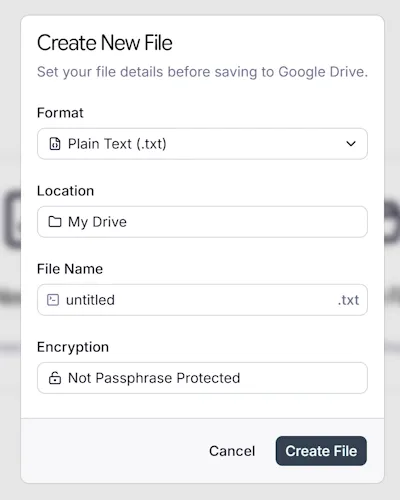
Section titled “新規ファイルの配置設定”以下のオプションが含まれたウィンドウが表示されます。
- 60 以上のファイル形式から選択する
- ドライブの保存先を選択する
- ファイル名を入力する
- オプションで暗号化用のパスフレーズを設定する
Google Drive™ is a trademark of Google LLC.
Prestomedia™ is a trademark of Prestomedia LLC.