Creating files
Free Text Editor has three ways to initiate the creation of a new file.
- Select the New button within the Google Drive™
- Click the New File card on the app’s home page
- Use the File -> New menu on the app’s editor page
New file configuration
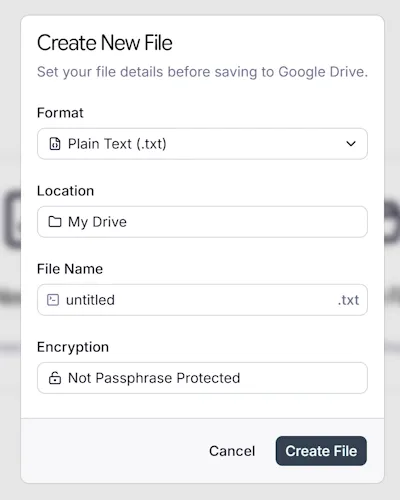
Section titled “New file configuration”A window will appear with these options.
- Select from over 60 file formats
- Choose the drive location
- Enter a file name
- Optionally define a passphrase for encryption
Google Drive™ is a trademark of Google LLC.
Prestomedia™ is a trademark of Prestomedia LLC.